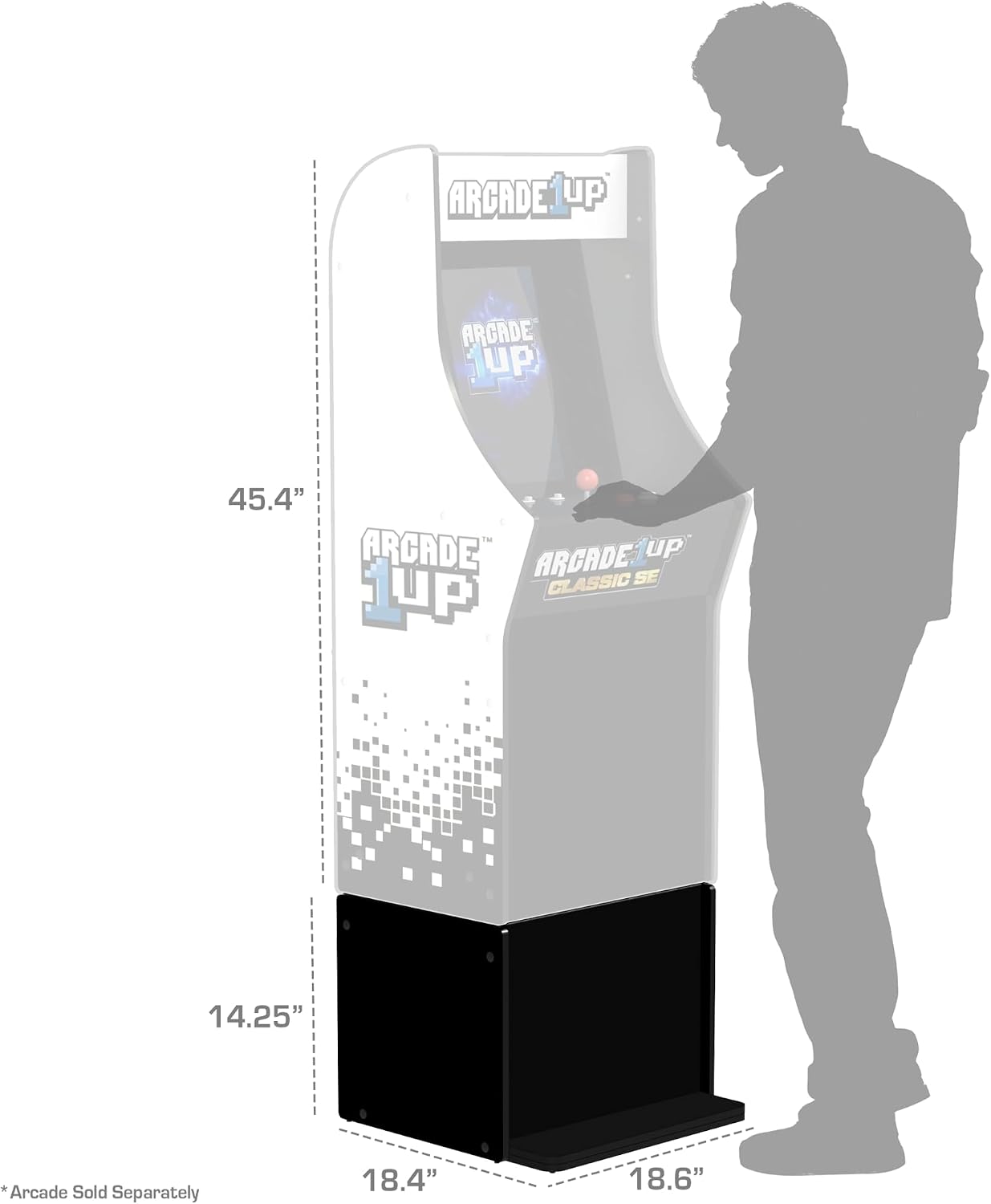
If you’ve recently bought — or are about to buy — an Arcade1Up cabinet (the popular line of 3/4-scale home arcade machines that recreate classics like Street Fighter, Pac-Man, and Mortal Kombat in a form factor that fits most living rooms), you’ve almost certainly run into the riser question. A riser is the base pedestal — usually a hollow box, roughly 12–18 inches tall — that sits underneath the cabinet and brings the control deck up to a comfortable standing-play height. Without one, you’re hunching. With the wrong one, you’re returning a 40-pound box because the bolt pattern (the arrangement of pre-drilled mounting holes on the top surface of the riser that align with holes on the cabinet’s bottom panel) doesn’t line up. That mismatch is the single most-reported fitment complaint across owner communities, and it’s entirely avoidable once you know what to look for. This guide gives you the measurement framework, the compatibility matrix, and the clear decision rules so your riser arrives ready to mount.
| EDITOR'S PICKBigHead Heavy Duty 2" Leg Level… | Mid-tierBigEmpty Heavy Duty 2" Leg Leve… | Budget pick[ARCADE1UP Classic Cabinet Riser…](https://www.amazon.com/dp/B0FM8LCZWS?tag=greenflower20-20) | |
|---|---|---|---|
| Height | 2" | 2" | — |
| Mounting Plate | Square | Square | — |
| Compatible Brands | Arcade & Pinball | Arcade cabinets | Arcade1UP |
| Number of levelers | Set of 4 | 4PCS | — |
| Material | — | Metal | — |
| Price | $18.99 | $18.88 | |
| See on Amazon → | See on Amazon → | See on Amazon → |
Why Bolt Patterns Vary More Than Arcade1Up Admits
Here’s the uncomfortable truth that arcadeheroes.com has documented across multiple editorial coverage pieces on the brand: Arcade1Up has quietly revised its cabinet bottom-panel dimensions and bolt-hole layouts at least three times across what the company broadly markets as the same product generations. The cabinet footprint shifted between early “Gen 1” units (2018–2019), mid-run “Gen 2” revisions (2020–2021), and the more recent “Legends” and wide-body variants (2022–present). The exterior art and branding remain nearly identical, but the base mounting geometry changed.
What this means for you, practically: a riser purchased alongside a Gen 1 Street Fighter II cabinet will not necessarily bolt flush to a Gen 2 Street Fighter II cabinet, even though both are marketed under the same product name. Owners on coinop.org forum threads have catalogued this in exhausting, useful detail — the consensus is that hole-center spacing shifted by as much as 15mm between generations on certain titles, which sounds minor until you’re trying to torque down a bolt that’s threading at a three-degree angle into misaligned MDF.
The brand’s own spec sheets, per Arcade1Up’s official documentation from 2023–2025 model years, do list mounting dimensions — but they’re listed per SKU, not per cabinet title, and most retail listings don’t surface the SKU granularity. That gap between “same title, different SKU” is where compatibility surprises live.
The Measurements That Actually Matter
Before you commit to any riser — first-party or third-party — pull three numbers from your cabinet’s bottom panel. Popular Mechanics’ reference guide on reading bolt patterns frames it clearly: you need hole diameter, hole-center-to-hole-center spacing (measured between adjacent holes), and the overall rectangular spread (the distance from the outermost hole on one side to the outermost hole on the opposite side). On an Arcade1Up cabinet, you’re typically dealing with a four-bolt square or rectangular pattern.
By the numbers — confirmed Arcade1Up mounting specs by generation:
| Generation | Typical Hole Spread (W × D) | Hole Diameter | Bolt Size |
|---|---|---|---|
| Gen 1 (2018–2019) | ~13.5 in × 10.5 in | 5/16 in | M8 or #14 wood screw |
| Gen 2 (2020–2021) | ~14.0 in × 10.5 in | 5/16 in | M8 |
| Wide-Body / Legends (2022+) | ~15.5 in × 11.0 in | 3/8 in | M8 |
Dimensions sourced from Arcade1Up official spec sheets and cross-referenced against community measurements compiled at gameroomsolutions.com buyer FAQ. Always verify against your specific SKU before purchasing.
The half-inch difference between Gen 1 and Gen 2 width spread is what causes the misalignment. A riser designed for the Gen 1 pattern will sit slightly offset on a Gen 2 bottom panel — not catastrophically wrong, but wrong enough that the bolt holes don’t register and you’re either drilling new holes (which voids warranty and risks blowout in MDF) or returning the unit.
First-Party vs. Third-Party Risers: The Tradeoff Matrix
Arcade1Up sells its own branded risers, and for the right buyer, that’s the path of least resistance. The first-party riser is designed to ship with the matching cabinet SKU, which means the bolt pattern is spec-matched by default — assuming you buy the riser bundled with the cabinet rather than as a standalone add-on later. The standalone first-party riser listings are where the fitment ambiguity re-enters, because the product page rarely specifies which cabinet generation the riser targets.
The case for third-party risers, as documented in gameroomsolutions.com’s community Q&A, comes down to three things: finish options, height adjustability, and structural material. The stock Arcade1Up riser is MDF with a printed vinyl wrap — functionally adequate for home use, but owners consistently report that the hollow MDF construction feels noticeably lighter and less rigid than aftermarket options built from 3/4-inch plywood or powder-coated steel. For a dedicated game room where the cabinet will be played daily, that material difference matters over a 5–10 year horizon.
If you’re choosing between first-party and third-party, the decision frame is:
- If you bought the cabinet new and bundled the riser at the same time: First-party is fine. The SKU match eliminates the bolt-pattern variable.
- If you’re retrofitting an existing cabinet or buying a used unit without a riser: Measure first, buy second. Third-party risers from specialty suppliers often publish explicit bolt-pattern compatibility tables — that transparency is worth the extra research step.
- If you run a commercial setup (bar, lounge, entertainment venue): MDF risers are a maintenance liability under 24/7 play conditions. The structural case for powder-coated steel or solid hardwood bases is clear, and suppliers in the $400–$800 range offer bolt-pattern customization as a standard option.
Third-Party Options Worth Evaluating
The editorial position here is based on published specs, owner-reported fitment, and supplier documentation — not hands-on assessment. With that frame established, here’s what the research shows.
Game Room Guys publishes cabinet-specific compatibility notes alongside their riser listings, which is the most useful transparency practice in this segment. Owners across forum aggregations at coinop.org consistently cite GRG as the most reliable source for pre-verified fitment — they list the exact cabinet title, the generation year, and the bolt-hole geometry their riser is machined to match. For buyers who’ve already confirmed their cabinet’s generation, this removes the guesswork.
Reclaimed Arcade takes a different approach: their risers are built-to-spec on order, meaning you provide your bolt-pattern measurements and they machine or drill the top panel accordingly. The lead time is longer (typically 3–6 weeks based on their published production queue estimates), but the fitment is guaranteed because it’s built to your numbers, not a generalized template. This is the right call for wide-body Legends cabinets where the 2022+ dimension shift means off-the-shelf options are less reliably spec-matched.
For the budget tier — flat-pack MDF risers in the $50–$120 range sold through major retailers — the honest assessment from aggregated owner reviews is: check the listing for a bolt-pattern spec table. If the listing only says “fits most Arcade1Up cabinets,” that’s a yellow flag. “Most” is doing heavy lifting when you’re dealing with a 15mm spread variance between generations.
The Fitment Verification Process (Before You Commit)
This is the workflow that separates a clean install from a return-shipping headache. Run it in order:
Step 1: Identify your cabinet’s exact SKU. It’s on the compliance label on the rear panel of the cabinet, not the box. The SKU is the only reliable identifier for generation-level specs.
Step 2: Cross-reference the SKU against Arcade1Up’s published spec sheet for that model year. Arcade1Up’s official documentation lists mounting hole dimensions per SKU — the spec sheet is the source of truth, not the marketing page.
Step 3: Physically measure your cabinet’s bottom panel. Use calipers or a metal ruler, not a cloth tape. Measure hole-center to hole-center on both axes. Write the numbers down.
Step 4: Compare your measurements against the riser’s published bolt-pattern spec. If the riser listing doesn’t publish a bolt-pattern spec, contact the supplier before ordering. Any reputable supplier — first-party or third-party — can provide this. Silence on this question is a signal.
Step 5: Confirm the bolt type. Most Arcade1Up cabinets use M8 metric bolts, but some Gen 1 units shipped with imperial #14 wood screws. If you’re adding a riser to a Gen 1 cabinet, verify which fastener your bottom panel is threaded for. Mismatched fasteners in MDF strip easily and don’t re-thread reliably.
The Decision Rule
The arcade community, as catalogued across arcadeheroes.com’s coverage and gameroomsolutions.com’s buyer documentation, has converged on a clear heuristic that holds up across budget tiers:
If your cabinet is a 2022-or-later wide-body or Legends SKU: Don’t assume first-party risers listed generically as “Arcade1Up compatible” will fit. The dimensional shift is real and documented. Either buy the bundled riser at point of purchase or go to a spec-matched custom supplier.
If your cabinet is Gen 1 or Gen 2 (2018–2021): First-party risers bought at the time of purchase are reliable. Third-party risers with published bolt-pattern tables (GRG being the clearest example) are also reliable. Generic “fits all” listings are a gamble.
If you’re furnishing a commercial space: The bolt-pattern question is the floor, not the ceiling. Structural material, weight rating, and finish durability under high-cycle use are equally important — and they’re reasons to move upstream from retail risers toward custom fabrication from suppliers who treat bolt-pattern accuracy as a baseline specification, not an afterthought.
Measure twice, order once. The numbers don’t lie, and the suppliers who publish them are the ones worth buying from.