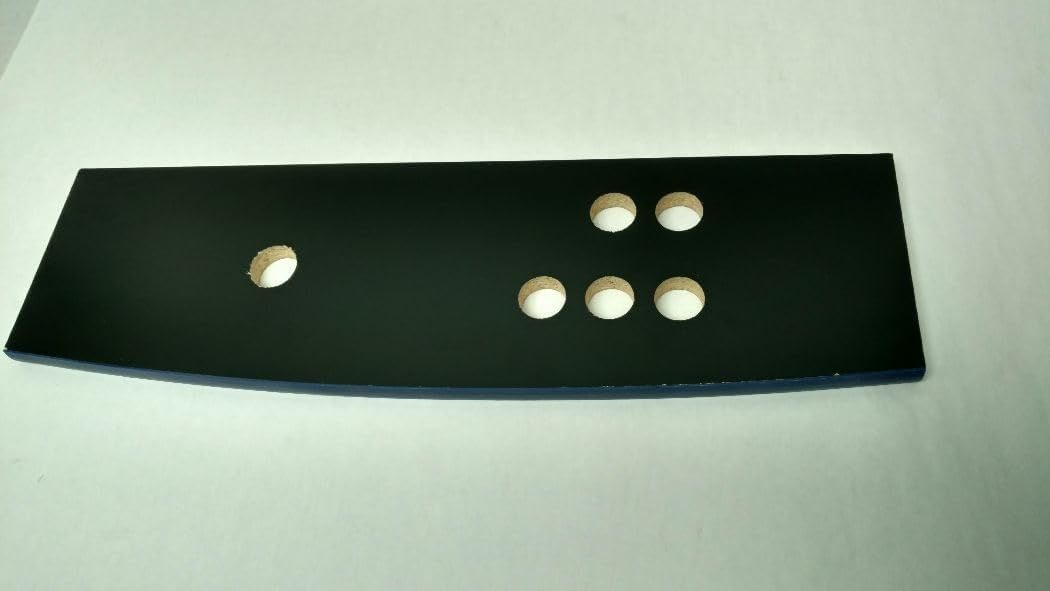
If you’ve been shopping for a full-size arcade cabinet kit — that’s a pre-cut, flat-pack enclosure designed to hold a monitor, control panel, and all the electronics that make up a stand-up arcade game — you’ve probably noticed that the product listing tells you a lot about the finish color and the bolt-pattern, but goes quiet on one critical number: how much weight the thing can actually hold before it stops being safe. Weight capacity is exactly what it sounds like — the maximum load, measured in pounds, that a stand or cabinet structure is rated to support without warping, cracking, or failing at a joint. For a first-time builder, a vague spec might seem like a minor footnote. For anyone who’s already priced a 65-inch curved monitor or a custom two-player control deck loaded with a Raspberry Pi 4, a fan assembly, and a Sanwa joystick harness, an underrated stand is a real money-and-safety problem. This article breaks down what manufacturers are — and aren’t — telling you, how to calculate what you actually need, and which construction details reliably predict whether a kit will hold up long-term.
Why the Listed Weight Rating Usually Understates the Real Problem
Here’s the gap that catches buyers: most kit manufacturers publish a single static load number — something like “supports up to 150 lbs” — and that figure almost always refers to evenly distributed, centered weight at rest. What it does not account for is dynamic load (vibration from a subwoofer, a bass shaker, or even enthusiastic button-mashing), off-center weight distribution from a monitor tilted toward the player, or the cumulative stress of repeated adjustment over years of use.
Popular Mechanics’ coverage of furniture load ratings notes that a manufacturer-rated static load typically assumes uniform pressure across the entire surface area. The moment your 55-inch monitor mount creates a cantilevered moment — meaning the weight projects forward of the cabinet’s center of gravity — the effective stress on the shelf or top panel can be two to three times the monitor’s actual scale weight. A 35 lb monitor bolted to a forward-mounted VESA arm isn’t stressing the cabinet at 35 lbs; it’s potentially stressing it at 70–100 lbs equivalent once leverage is factored in.
The second piece of this puzzle is material honesty. This Old House’s comparison of MDF versus plywood for cabinet construction makes the stakes clear: MDF (medium-density fiberboard, the pressed wood composite used in most budget flat-pack kits) has excellent compressive strength — it can hold weight sitting on top of it — but its shear strength (resistance to forces that try to pull the layers apart, like a heavy shelf bracket screwed in from the side) degrades meaningfully over time, especially in humid environments like a garage game room or a basement bar. Plywood, and especially Baltic birch plywood (a higher-grade, void-free version favored by custom fabricators), distributes shear stress far more effectively because its alternating grain layers resist delamination.
What this means in practice: two kits, both rated at 150 lbs, can perform very differently depending on whether that rating was derived from MDF or 3/4-inch Baltic birch — and the listing usually won’t tell you which.
What Owners Actually Report: The Spec-Sheet-to-Reality Gap
Across aggregated owner reviews and forum discussions documented at CoinOp.org’s long-running “Real-World Load Numbers for Flat-Pack Stands” thread, a consistent pattern emerges for the $50–$120 Arcade1Up-compatible flat-pack tier:
By the Numbers
| Kit Tier | Advertised Capacity | Owner-Reported Safe Working Load | Common Failure Mode |
|---|---|---|---|
| Budget flat-pack (MDF, cam-lock joinery) | 150–200 lbs | 90–120 lbs over 12+ months | Cam-lock joint loosening, top panel sag |
| Mid-range flat-pack (hybrid MDF/ply) | 200–250 lbs | 150–180 lbs sustained | Side-panel flex under monitor load |
| Premium custom (Baltic birch, dado joinery) | 300–400 lbs rated | 300+ lbs confirmed long-term | Finish wear before structural issues |
The pattern Arcade Heroes identified in their cabinet weight and build quality roundup is telling: in the budget-to-mid tier, the weakest link is almost never the horizontal shelf — it’s the joinery method connecting horizontal panels to vertical uprights. Cam-lock connectors (the barrel-and-bolt system you’ll recognize from flat-pack furniture) are fast to assemble but develop micro-movement over time, especially when subjected to low-frequency vibration. Over 12–18 months, that micro-movement compounds into visible joint gap, which concentrates stress on the MDF around the connector hole, leading to the familiar “wobbly cabinet” complaint that dominates game room forums.
Game Room Solutions’ published specification sheets for their full-size pedestal line explicitly differentiate between “assembly load” (what the stand holds while being set up) and “operational load” (what it reliably sustains in daily use). That distinction — which most budget kit listings omit entirely — is the number you actually need. If a manufacturer doesn’t publish both figures, assume their headline number is the higher, more flattering assembly-load figure.
How to Calculate What Your Build Actually Weighs
Most buyers undercount by 20–40 lbs because they only budget for the obvious components. Here’s a working checklist:
Monitor. A 32-inch 1080p LCD panel runs 12–18 lbs without the stand. A 43-inch panel is typically 22–30 lbs. A 49-inch ultrawide can hit 35–45 lbs. Add your VESA mount bracket: steel mounts add 3–8 lbs.
Control panel assembly. A bare MDF control deck runs 4–8 lbs. Add two Sanwa JLF joysticks (~0.5 lbs each), eight 24mm buttons per player, a trackball, a spinner, and the wiring harness, and you’re at 10–18 lbs for a two-player deck — before any acrylic overlay, T-molding, or aluminum extrusion trim.
Computing hardware. A Raspberry Pi 4 with case and fan: under 1 lb. A mini-ITX PC with a discrete GPU for MAME or LaunchBox: 6–12 lbs. A full ATX build for high-fidelity emulation: 15–25 lbs. Add the power supply, USB hub, and audio amplifier.
Speakers and audio. A 2.1 system with a 4-inch subwoofer and two satellite speakers: 6–12 lbs depending on driver size.
Cabinet panels and lit marquee. The bezel, marquee frame, and any internal bracing you add post-assembly can push an additional 5–15 lbs onto what the stand is supporting beyond its own structural weight.
Add it up for a realistic two-player build: you can easily land at 80–130 lbs of payload on top of the cabinet’s own structural weight. If your kit’s honest operational capacity is 90–120 lbs (per the owner-reported figures above), you’re already in the margin — and that’s before you factor in a friend leaning on the control panel during Street Fighter.
The rule of thumb that experienced builders use, as noted in CoinOp.org forum documentation: calculate your total payload, then add 30% as a safety buffer, and that’s the minimum operational load rating you should accept from any stand or cabinet kit.
Construction Details That Actually Predict Performance
Once you know your required capacity, here’s what to look for in the spec sheet and product photos — because these details reliably separate kits that will hold up from kits that won’t.
Panel thickness. For the uprights (the side panels that carry vertical load), 3/4-inch material is the minimum for anything over 80 lbs of payload. Budget kits often use 5/8-inch MDF to save cost and shipping weight — it’s a meaningful difference in rigidity. If the listing doesn’t specify panel thickness, ask the seller directly before ordering.
Joinery method. Dado and rabbet joints (routed channels where panels interlock) are structurally superior to cam-lock or dowel-only assembly because the load is distributed across the full glue surface, not concentrated at a single connector point. Custom builders at the $400+ tier use dado joinery almost universally. Mid-range kits are starting to adopt it, but budget kits rarely do. Look for it called out in assembly instructions if available.
Back panel integration. A full-height rear panel (not just a partial back brace) dramatically increases the cabinet’s resistance to racking — the diagonal twist that develops when weight isn’t perfectly centered. Operators in long-run reviews consistently note that open-back designs, while convenient for cable access, require additional internal cross-bracing to achieve equivalent stability.
Leg leveler hardware. Threaded steel leg levelers (the adjustable feet that let you compensate for uneven floors) are a quiet durability indicator. Kits that include stamped-steel or zinc levelers rated for 200+ lbs per foot are signaling that the manufacturer thought about real-world floor loads. Plastic glide feet that aren’t adjustable suggest the opposite.
Finish and substrate compatibility. For venue and commercial operators: powder-coated steel side panels paired with a plywood internal structure is the combination that most credibly bridges aesthetics and operational durability. Casino-furniture-grade suppliers and specialty fabricators like Game Room Guys and Reclaimed Arcade consistently spec this combination for their commercial-tier products, and the durability premium over MDF-core alternatives is validated by operator feedback across multiple deployment years.
The Decision Rule: If X, Then Y
Here’s where this lands for buyers at different stages:
If your total payload estimate is under 70 lbs and you’re building a single-player cabinet with a 32-inch or smaller monitor and modest hardware, a quality mid-range flat-pack kit in the $80–$120 range is structurally adequate — provided you verify 3/4-inch panel thickness and don’t skip the internal corner bracing during assembly.
If your payload is 70–120 lbs — two-player deck, 43-inch monitor, full PC build — you’ve outgrown the budget flat-pack tier on load alone. Target kits explicitly rated above 250 lbs with documented joinery details, or step up to the $250–$400 semi-custom tier where Baltic birch and dado construction become accessible.
If you’re specifying for a venue, bar, or gaming lounge where daily patron interaction is the baseline — not the exception — the honest answer is that no MDF flat-pack kit is appropriate regardless of the headline weight rating. The vibration, humidity cycling, and leverage forces of a commercial environment degrade MDF-core joinery on a timeline measured in months, not years. The $600–$1,200 tier from commercial-adjacent fabricators isn’t a luxury premium at that point; it’s the price of not replacing the cabinet in year two.
Whatever tier you’re buying in, do the payload math before you add to cart. The manufacturers who don’t advertise their weight limits clearly aren’t necessarily hiding bad products — but they are leaving you without the information you need to match the stand to the build. Now you have the framework to ask the right questions and read the spec sheets with both eyes open.